 DubPlay
Game subtitles, read out loud in your language.
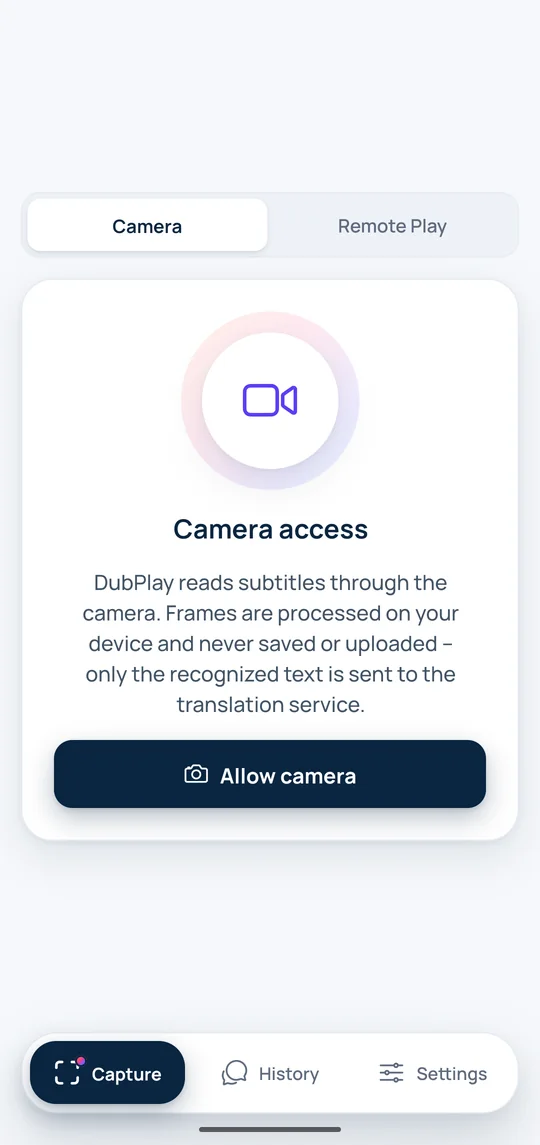
DubPlay watches the subtitles, translates each line and reads it to you while you play. On Android it connects straight to a PS5. Otherwise you stand the phone in front of the TV and it reads through the camera.

We need to get out of here. Now.
We need to get out of here. Now.
Tenemos que salir de aquí. Ya.
Where DubPlay reads the subtitles
You pick this in the app under Settings → How you play.
Direct PS5 connection
DubPlay connects to the PS5 on your home network (Remote Play) and reads the subtitles from the picture the console sends. You play on the TV as usual and the phone can sit anywhere with its screen off. The text is sharp and there is no glare to deal with.
Camera pointed at the TV
Works with any console, PC or Switch. Put the phone on a stand 1–2.5 m from the TV and mark where the subtitles are, or let the app find them.
Xbox
A direct Xbox connection on Android is still being tested.
Captions on the TV
The phone sends each translated line over Wi-Fi to the DubPlay TV app, which shows it over the game picture from HDMI. You install the TV app from the phone, without a computer.
Scenes from GTA VI, dubbed by DubPlay
Three scenes from the later chapters, the way a game with a prepared pack sounds. The Czech voices and translation come from the DubPlay pack and play with the same timing the phone uses.
The video was put together on a computer using the app’s timing; it is not a screen recording from a phone.
Menus, tips and subtitles translated too
DubPlay dubs the dialogue, shows its subtitles on the TV and translates the text on screen (tips, menus, descriptions) right over the original, in its colours.
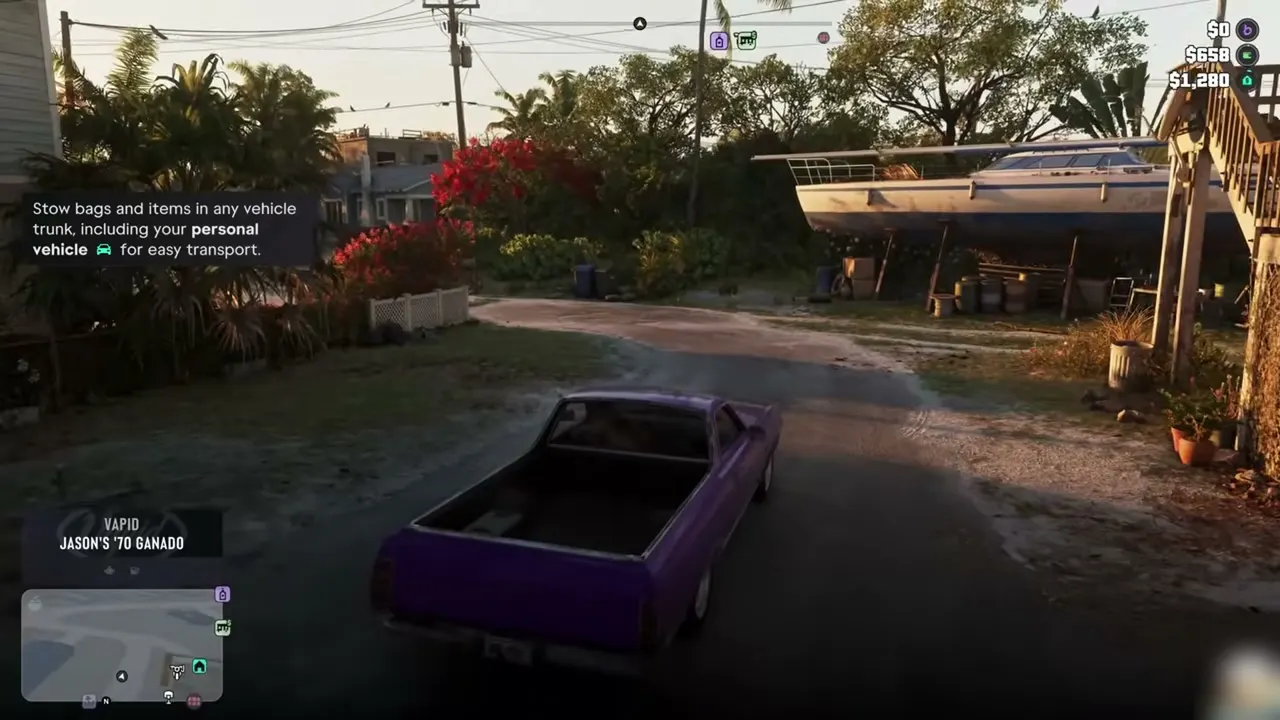 Original
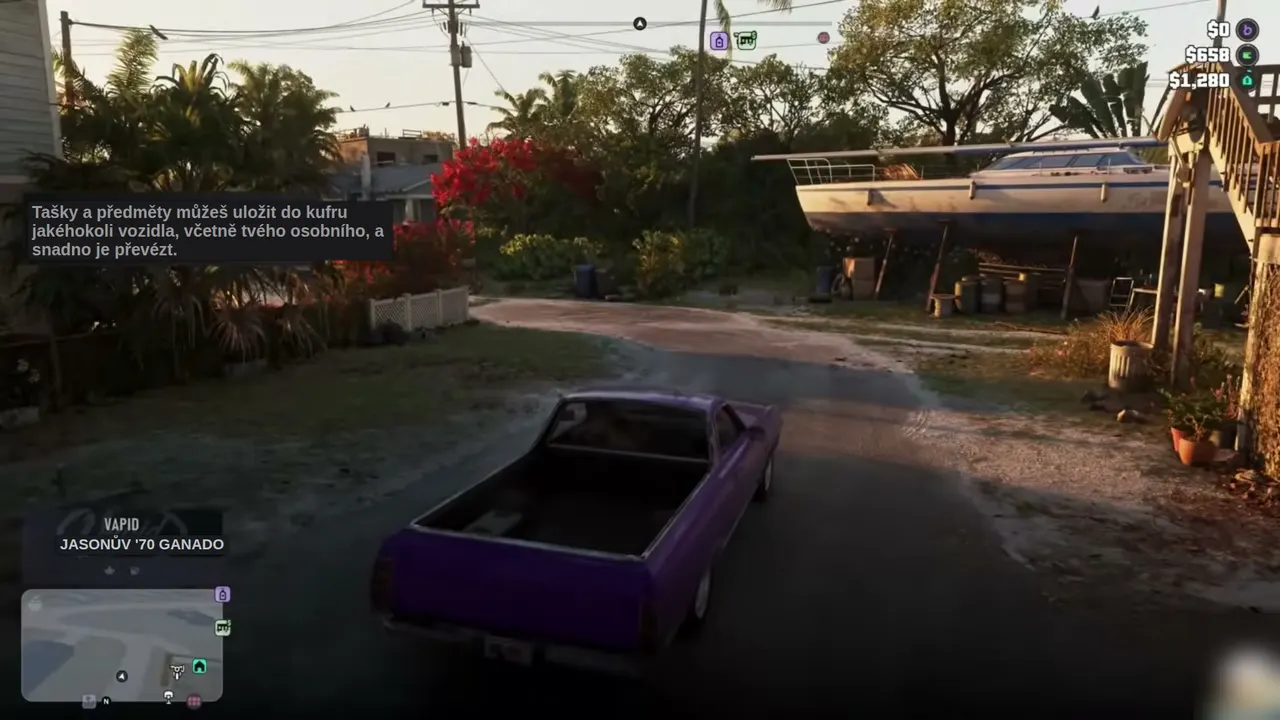 With DubPlay
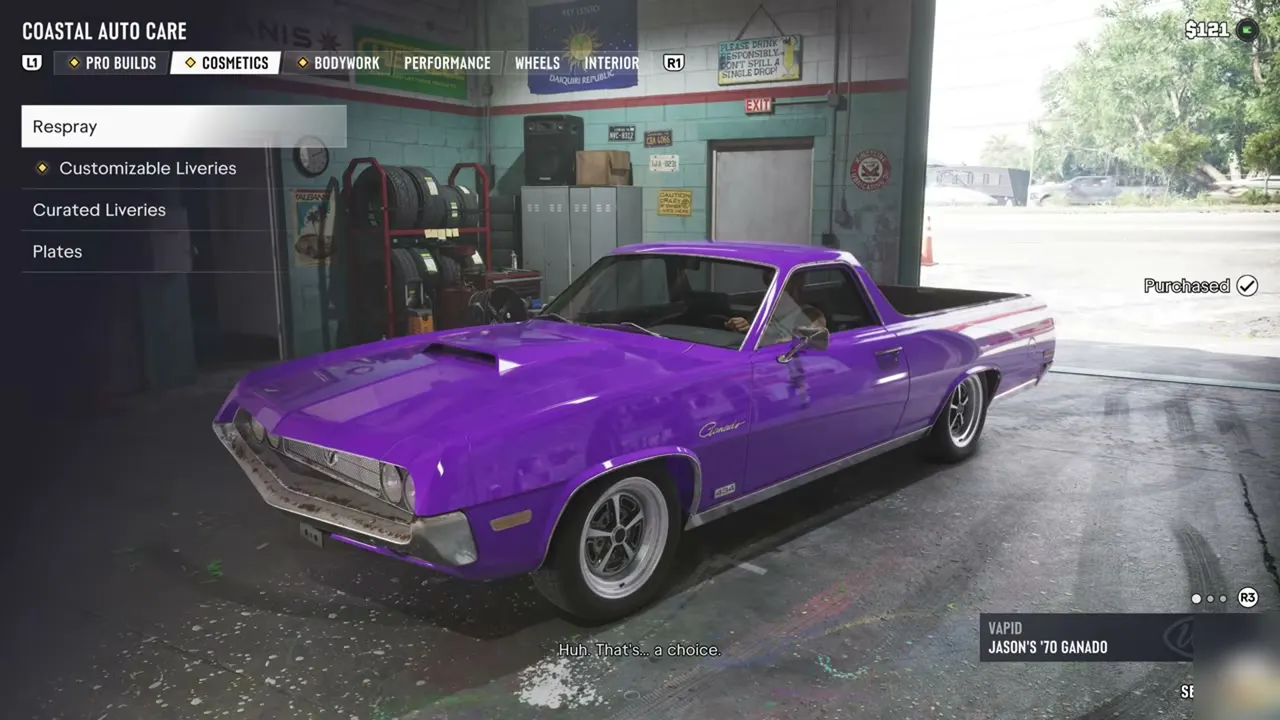 Original
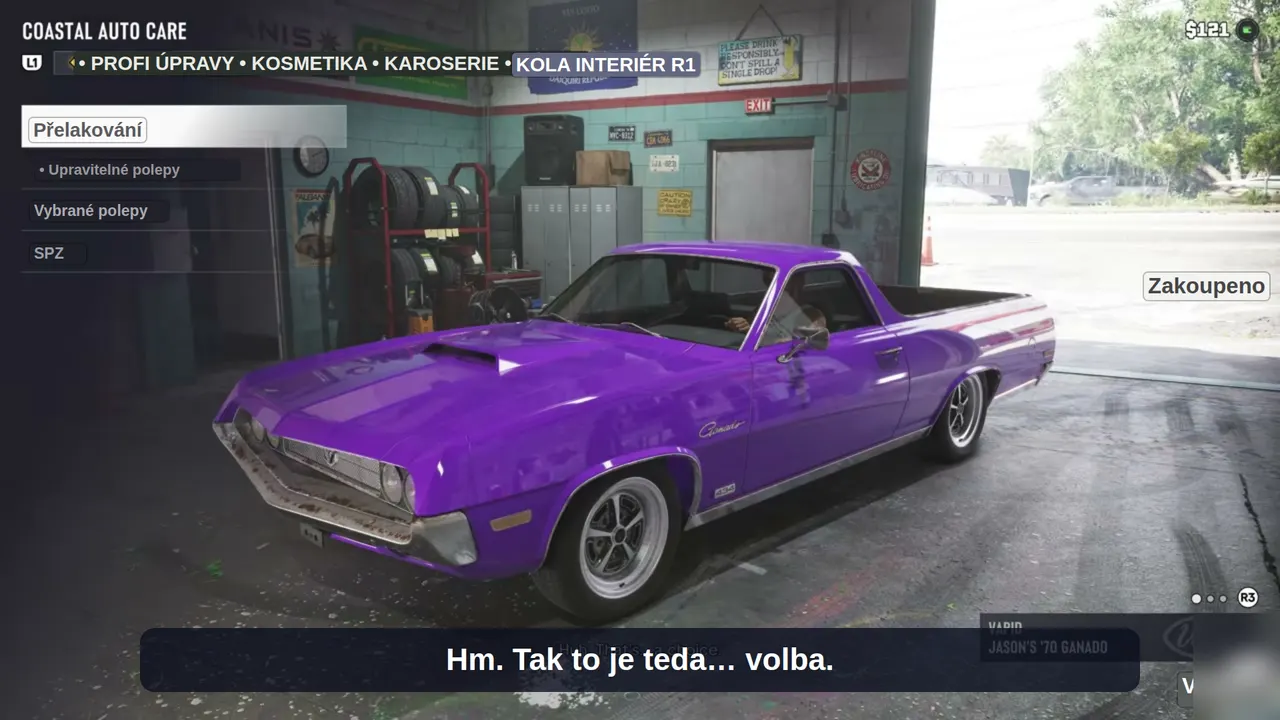 With DubPlay
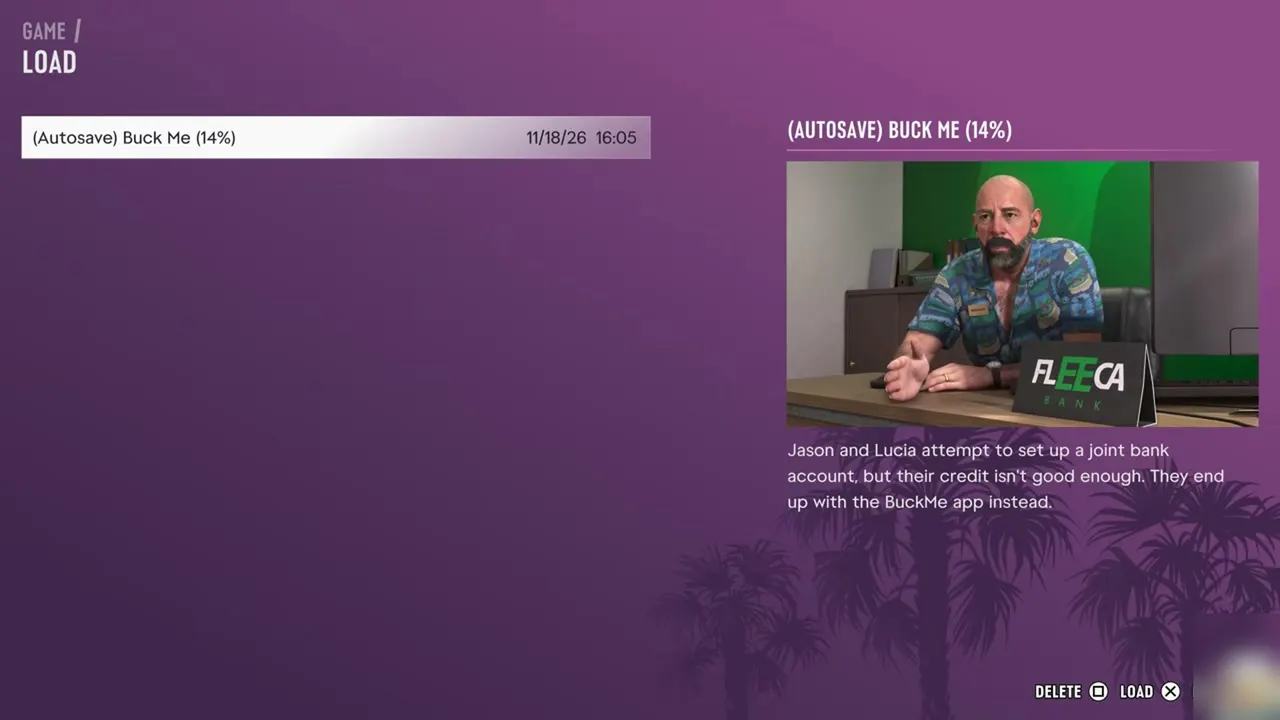 Original
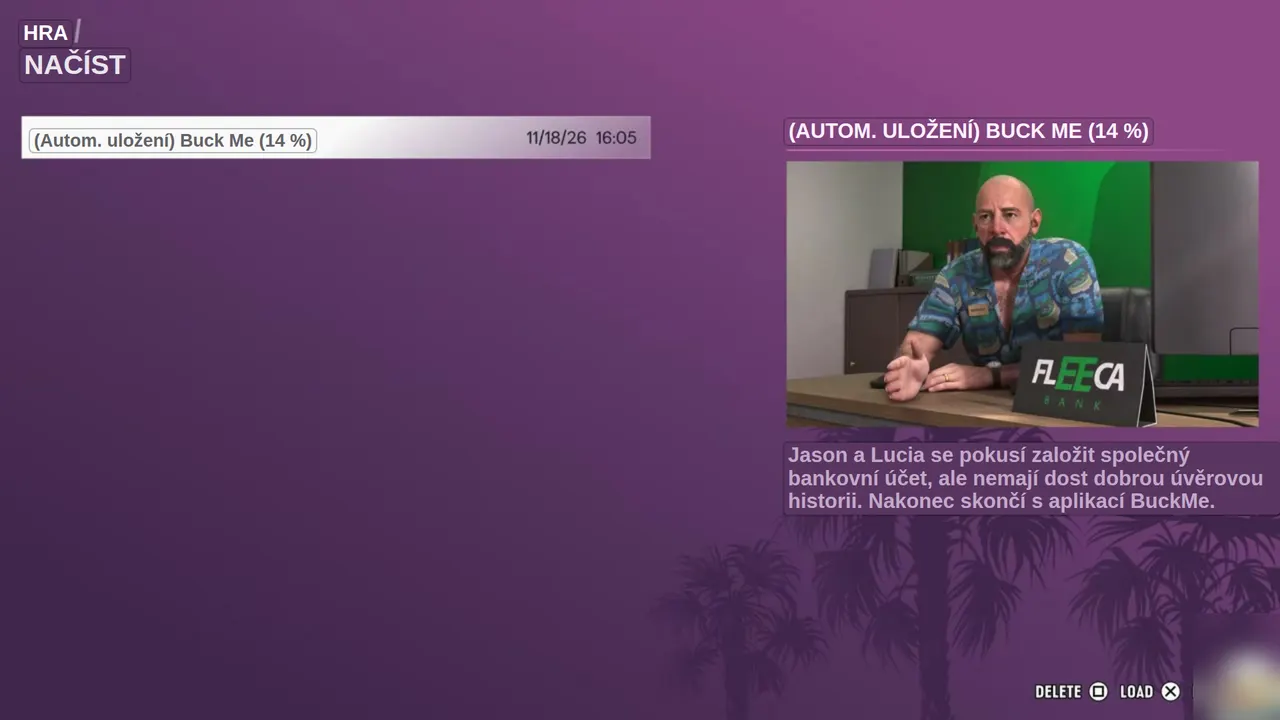 With DubPlay
A preview put together on a computer: real text recognition (ML Kit) and the DubPlay TV app’s own drawing code, on frames from a GTA VI walkthrough. Needs the DubPlay TV app (Samsung, LG, Android TV) and the direct PS5 or Xbox connection.
Playing GTA VI? Choose its pack
A game pack contains lines that were translated and voiced in advance. Without one, DubPlay translates on the phone. With one, the dub starts sooner and the translation knows who the characters are.
- In the app, open Settings and tap your game profile, or create one.
- Under Game pack, choose Grand Theft Auto VI.
- Set the language you want to hear to Czech. It is the only language the pack has so far.
- With DubPlay Cloud you hear the recorded voices, and lines the pack doesn’t have yet get a quick translation from our server. Without it, the phone reads the pack’s translations in its own voice.
The pack was made from gameplay, not from the game’s script: the subtitles of a full playthrough, translated and recorded ahead of time. It is the same kind of data DubPlay collects as people play, only prepared earlier.
Free: the translated text, read by your phone’s voice. DubPlay Cloud: recorded character voices.
What’s in the app
Finds the subtitles
Marks the subtitle area by itself, or you draw it once per game.
Knows who’s speaking
Picks up names like “LUCIA:” and skips button hints.
Point & read
Point at a menu or a note and tap the text you want read.
Whole screen Android
Translates menus and hints too, drawn over the original text on the phone screen.
26 languages On the phone
Offline once the language is downloaded.
Your own translator
DeepL, Claude, OpenAI or LibreTranslate with your own key.
Shared translations
Lines other players have already seen come back translated straight away. You can turn it off.
Glossary
Names stay untranslated, set terms always come out the same.
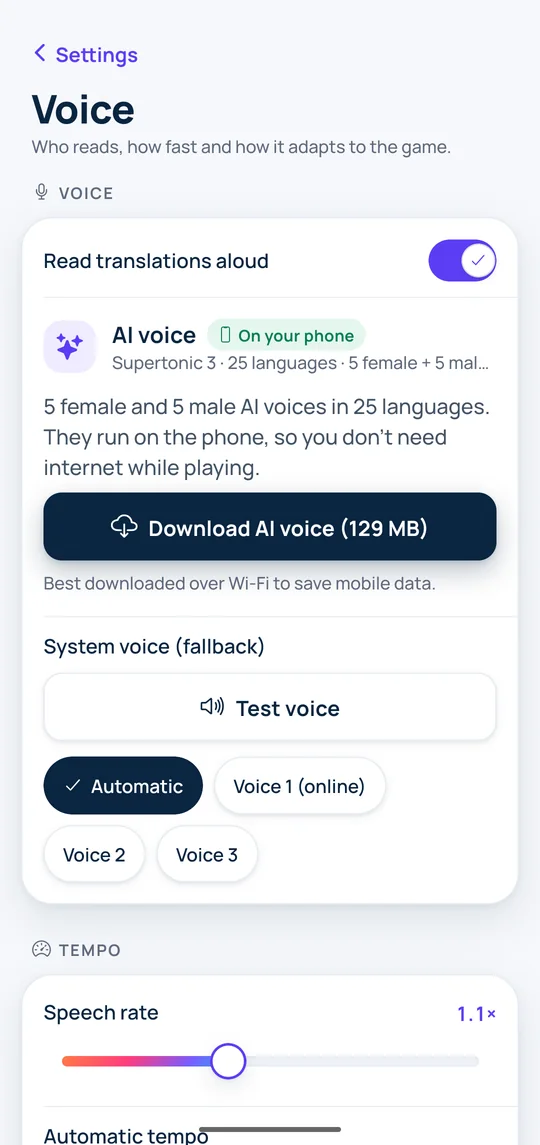
10 voices On the phone
5 female and 5 male, plus the voices built into the phone.
A voice for each character PLUS
Gender comes from the name, or from the voice when you play over PS5.
Automatic tempo
Talks faster when lines come quickly, so it doesn’t fall behind.
Repeat and recap
Tap to hear the last line again, hold for a recap of what has happened.
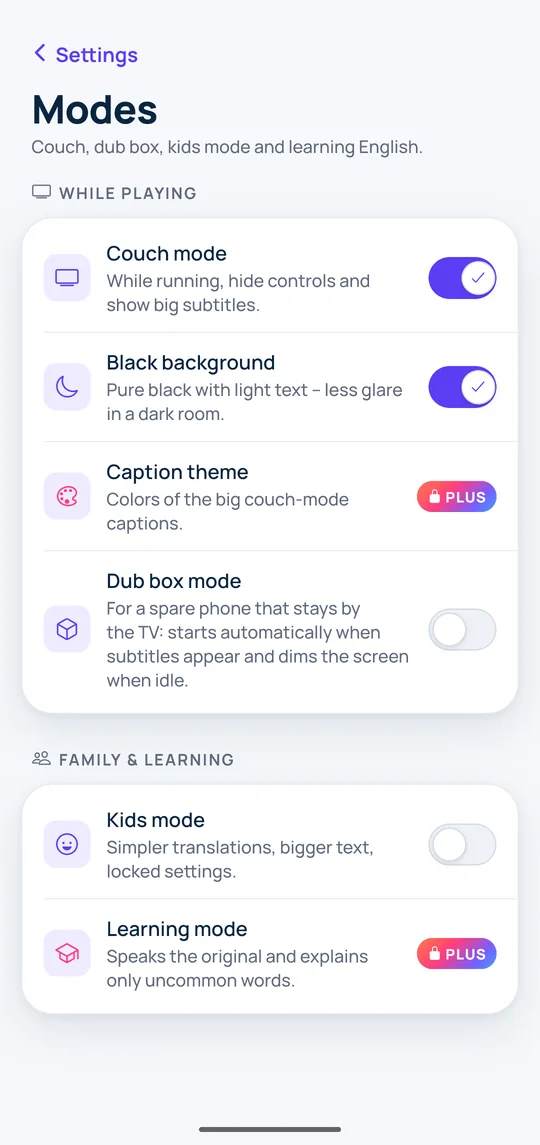
Couch mode
Hides the controls and shows large subtitles, with a black background for a dark room.
Caption themes PLUS
Cinema, Sepia and Neon.
Dub box
For an old phone left by the TV: starts by itself when subtitles appear and dims when nothing is happening.
Captions on the TV Android
Shows the translation over the game on LG. Samsung and Android TV are experimental.
Kids mode
Simpler translations, bigger text, settings behind a parent PIN.
Learning mode PLUS
Plays the English original and saves the less common words for later.
Game profiles
Languages, subtitle area, characters and glossary per game. Two are free, Plus has no limit.
Sharing profiles PLUS
Send a set-up profile to a friend.
History
The last 500 lines and their translations, kept on the phone.
The app
Reading, translating and speaking are free
The app shows prices in your currency.
DubPlay
No account, no time limit.
- Reading, translation and voice
- Direct PS5 connection and TV captions (Android)
- Camera on every device
- Couch mode, dub box, kids mode
- 2 game profiles
A small ad banner in History and Settings. Never while you play.
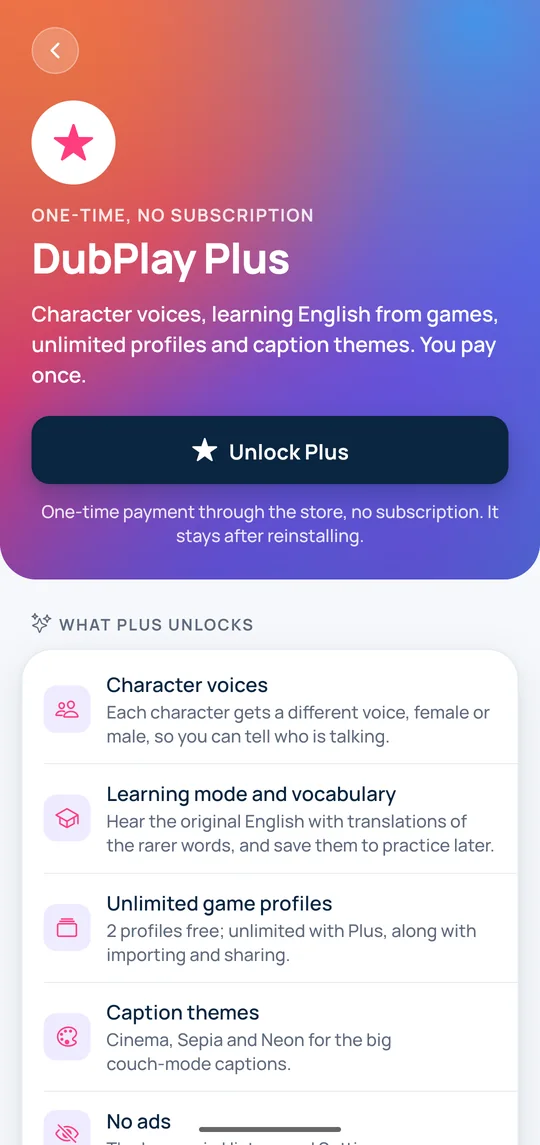
DubPlay Plus
Pay once and keep it when you reinstall.
- A voice for each character
- Learning mode and vocabulary
- Unlimited game profiles and sharing
- Caption themes
- No ads
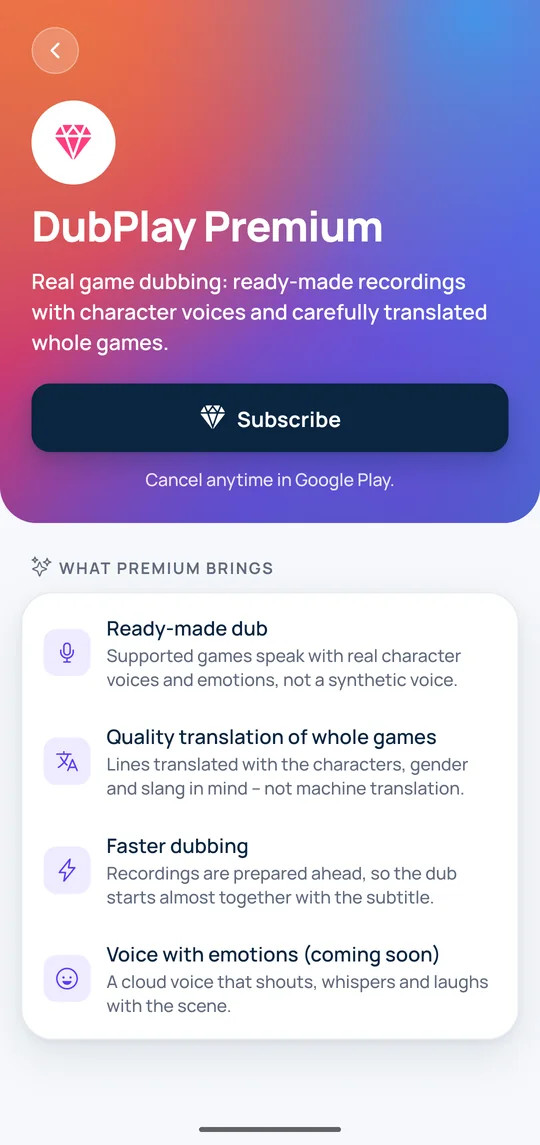
DubPlay Cloud
Prepared dub for supported games.
- Everything in Plus
- Recorded voices, a different one for each character
- Starts with the subtitle, the phone has nothing to generate
- Translation that takes the scene and characters into account
- Lines the pack doesn’t have yet: a quick translation from our server
- Up to 3 devices
So far: GTA VI in Czech. Other games work as in the free version. Cancel any time in the store.
The camera picture stays on the phone
- Camera frames, the PS5 picture and game sound are processed on the phone. Nothing is saved or uploaded.
- Subtitle text only leaves the phone for shared translations (no device ID, can be turned off) or for a translator you chose.
- No account and no analytics. API keys are kept in the phone’s secure storage.
What it can’t do yet
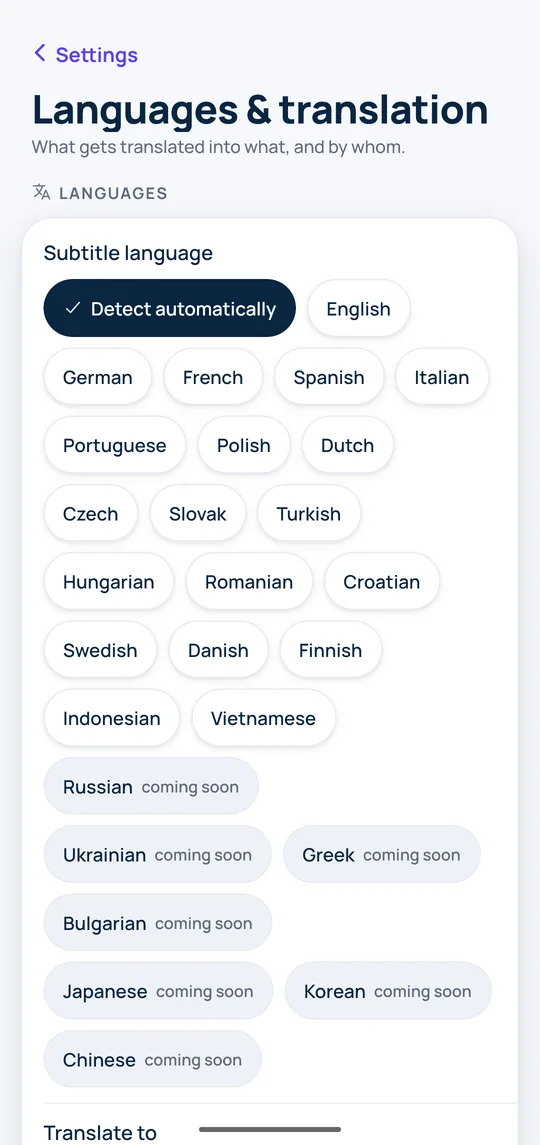
- Only subtitles in Latin script. Japanese, Chinese, Korean, Greek and Cyrillic will follow.
- The game needs subtitles turned on. Lines that are only spoken are not read.
- Machine translation gets slang and names wrong now and then. A game pack or your own AI translator does better.
- The direct PS5 connection is in beta and has not been tried with every console.
Download DubPlay
Free on iPhone and iPad. The Android version is waiting for approval on Google Play.